When a printed circuit board (PCB) fails, the time between “it stopped working” and “it’s back in service” often determines whether the damage is minor and fixable or serious and costly. Many repairs fail not because the component is irreplaceable, but because the tools and technique weren’t up to the task. That’s where a reliable, purpose-built soldering helper can make a difference—especially for challenging repairs like lifted pads, fractured joints, and cramped surface-mount work.
One standout option for technicians and serious hobbyists is **NOEVSBIG’s 4-Arm Soldering Savior**, a multi-functional soldering support tool designed to stabilize boards, free your hands, and improve precision. In this guide, we’ll explore why a 4-arm soldering stand matters, what “ultimate PCB repair” should realistically include, and how to use a four-arm setup to handle common repair scenarios safely and confidently.

---
## Why PCB Repair Is So Hard (and Why Setup Matters)
PCB repairs are deceptively complex. A modern circuit board isn’t a simple panel of through-hole parts; it’s a landscape of tiny pads, delicate traces, multilayer routing, and components that can be damaged by heat, pressure, or poor handling. A small mistake can turn a quick fix into a board-ending event.

Here are the typical reasons PCB repairs get messy:
- **You need three jobs at once:** hold the board steady, apply heat, and manage the solder/wick/flux.
- **Pads and traces are fragile:** a small scrape or excessive force can lift copper.
- **Surface-mount components demand alignment:** even slight movement during soldering can create bridges or cold joints.
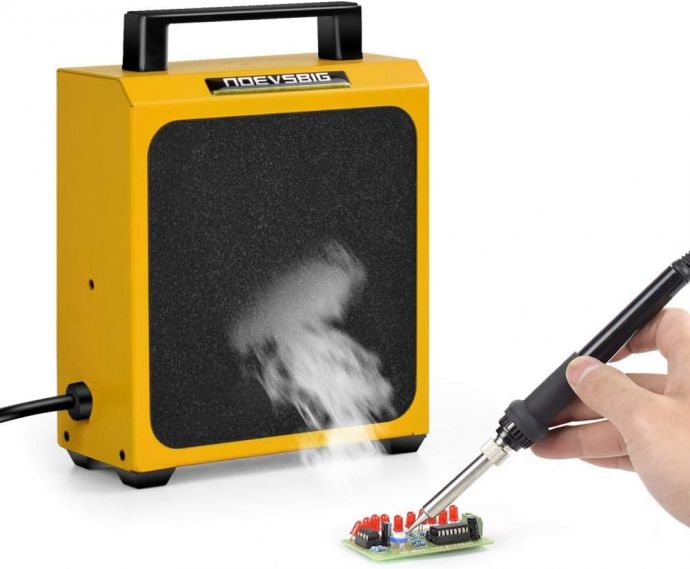
- **Poor visibility kills accuracy:** repairs require clear viewing and stable work angles.
Most of these problems come back to one core issue: **control**. A good tool doesn’t just help you solder—it helps you avoid the errors caused by losing control.
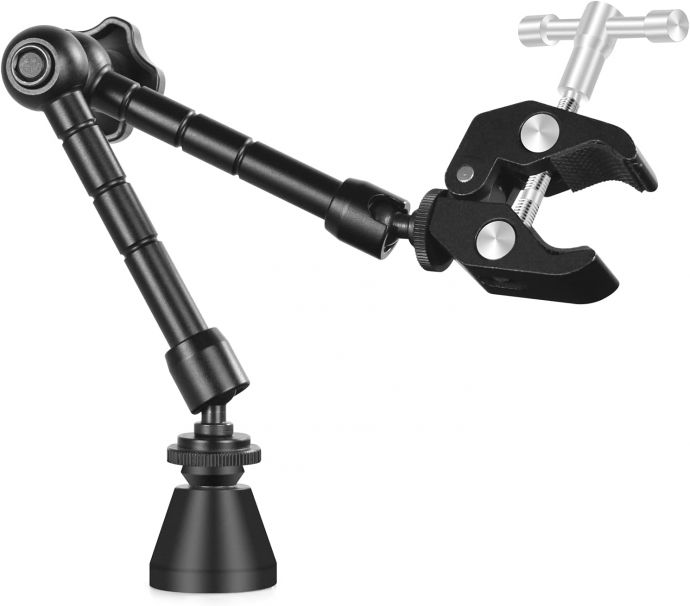
That’s exactly the role of a four-arm soldering support: it creates stability, supports multiple parts of the board, and makes your workflow smoother.
---
## What a 4-Arm Soldering Helper Really Does
A typical soldering stand often provides limited clamping. In contrast, a **4-arm** design gives you additional positioning options—meaning you can stabilize the board at multiple points, reduce vibration, and adjust the angle without constantly re-clamping.
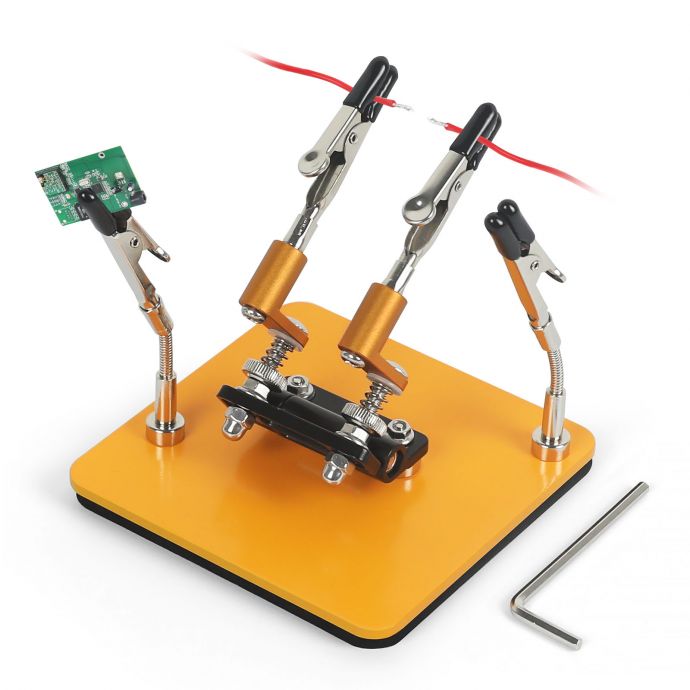
With NOEVSBIG’s 4-arm soldering approach, the key advantages typically include:
1. **More contact points = better stability**
- When a board is held firmly from several angles, it’s less likely to flex while you apply heat or pull a component.
- Less flex means fewer broken traces and less stress on pads.
2. **Flexible positioning**
- Many PCB repairs involve awkward access—near connectors, between components, or at the edge of the board.
- Four arms make it easier to set the board so the work area is directly in line with your iron tip.
3. **Hands-free workflow**
- Free hands mean you can focus on soldering technique rather than fighting the board.
- You can hold solder, flux, tweezers, or a desoldering wick while maintaining a consistent heating angle.
4. **Improved accuracy during fine work**
- Precision repairs often require careful alignment: reflowing a connector pin, remounting a tiny IC, or bridging a hairline break in a trace.
- Stability reduces the chance of accidental shifts that cause bridges or misalignment.
In PCB repair, accuracy isn’t only about your soldering skills—it’s also about the stability of your target. A four-arm tool can be the difference between “works on the bench” and “works reliably after reassembly.”
---
## Before You Solder: A Practical Repair Checklist
Before you heat anything, good technicians follow a checklist. It saves time and reduces the likelihood of repeating repairs.
### 1) Diagnose the failure type
Common PCB failure symptoms include:
- intermittent power or reboot loops
- no power / dead board
- overheating around a component
- broken connector function
- shorts detected near a specific area
If you haven’t already, use a multimeter to identify:
- short circuits (resistance near zero)
- open circuits (no continuity where there should be)
- voltage drops (where power stops being delivered)
### 2) Gather your supplies
For most PCB repairs you’ll want:
- flux (no-clean or rosin flux works depending on preference)
- solder (matching leaded/unleaded where possible)
- desoldering wick and/or solder pump
- tweezers and small tools
- isopropyl alcohol and cleaning brushes
- heat-resistant tape (optional but helpful)
- magnification (bench loupe or microscope recommended)
### 3) Protect surrounding parts
Capacitors, inductors, and ICs can be heat-sensitive. To reduce collateral damage:
- shield nearby components with heat-resistant tape or a small piece of thin metal foil (carefully)
- limit dwell time
- consider preheating if you’re working on larger pads or connectors
### 4) Set up your workstation
You want:
- bright lighting
- stable board support
- a clear path for tools
- good cable management so your iron cable doesn’t drag the board
This is where NOEVSBIG’s 4-arm soldering support becomes more than a convenience—it’s a safety and quality upgrade.
---
## How to Use a 4-Arm Soldering Setup for PCB Repairs
The real value of a four-arm tool comes from its ability to support the board in a way that matches the repair. Here’s a workflow that works well for many common tasks.
### Step 1: Position the board for the repair zone
Place the PCB in the stand so that the area you’re working on is:
- centered within your view
- reachable with your iron tip without straining your wrist
- supported to prevent flex
With four arms, you can typically anchor the board in multiple corners or along both edges. This reduces wobble and makes soldering more controlled.
### Step 2: Secure the board without crushing it
PCBs can vary in thickness and type (single-layer, multi-layer, flexible boards, etc.). Tight clamping can warp the board or stress solder joints.
Aim for:
- firm support, not extreme pressure
- stable positioning with minimal movement
### Step 3: Create a comfortable angle
If you’re reflowing or desoldering, angle matters. A slightly elevated angle can:
- help solder flow cleanly
- reduce the chance of solder bridging to nearby pins
- make it easier to see wetting and contact
A 4-arm setup makes it easier to find that “just right” angle and keep it.
### Step 4: Plan your tools before heating
Have everything ready before you start:
- flux applied
- desoldering wick placed if needed
- tweezers positioned for component removal
- cleaning solution ready to remove flux residue
Then begin heating. With less board movement, your technique is more repeatable.
---
## Common PCB Repair Scenarios (and How the 4-Arm Tool Helps)
### 1) Reflowing cracked solder joints
Cracked joints are common in connectors, header pins, and areas exposed to vibration or stress. Symptoms include intermittent connectivity and resistance fluctuations.
**Repair approach:**
- apply flux around the suspect pins
- reflow with the iron tip until solder wets properly
- allow to cool without movement
**Why the 4-arm stand helps:** When the board is stable, you can apply consistent heat and avoid accidental nudges that break the joint again.
---
### 2) Repairing lifted pads or damaged traces (carefully)
If a pad has lifted or a trace is partially detached, repairs may involve:
- cleaning the area
- using fine wire jumpers
- reattaching the trace or pad with solder and flux
- insulating nearby connections if required
**Why stability matters:** you’re working with tiny geometry. If the PCB shifts while you position a wire jumper, the wire may end up shorting or not making proper contact.
A secure four-point support reduces that risk.
---
### 3) Desoldering and replacing connectors
Connectors—especially multi-pin headers—can be challenging. The solder joints may be large, and the component can be difficult to remove without pulling pads.
**Repair approach:**
- add flux
- use wick or additional solder to help heat transfer
- gently lift the connector only when most joints are freed
**Why the 4-arm stand helps:** Proper support lets you apply controlled force with tweezers or a lifting tool without flexing the PCB. Flexing is a common cause of pad damage during connector replacement.
---
### 4) Handling SMD resistors, capacitors, and small IC pins
For fine-pitch components, alignment errors can create solder bridges or poor wetting.
**Repair approach:**
- apply flux
- tack one side or one pin first (as a reference)
- align the component using tweezers
- reflow remaining pins with controlled heat
- inspect for bridges and clean residue
**Why the 4-arm tool helps:** alignment requires steady conditions. If the board moves slightly when you position the IC or resistor, you can end up correcting repeatedly—often increasing heat exposure.
---
### 5) Diagnosing and fixing shorts
A short can be caused by a solder bridge, corrosion, debris, or a failed component.
**Repair approach:**
- locate the shorted area (visual inspection + continuity testing)
- clean and inspect under magnification
- remove the bridge or replace the failed component
**Why the 4-arm stand helps:** When testing and cleaning, you may rotate or adjust the board. Four arms give you stable reorientation without re-clamping repeatedly.
---
## Soldering Technique Tips That Pair Well With Stability