In every home workshop or DIY enthusiast’s toolkit, space is at a premium and efficiency is king. For the electronics hobbyist, maker, or content creator, productivity often hinges on how quickly one can adapt tools and jigs to new jobs without sacrificing quality or convenience. Enter the hands-free soldering and camera mounting workstation — a triple-task wonder that revolutionizes workflow by integrating several essential functions into one streamlined rig.
**Why Go Hands-Free in the Workshop?**
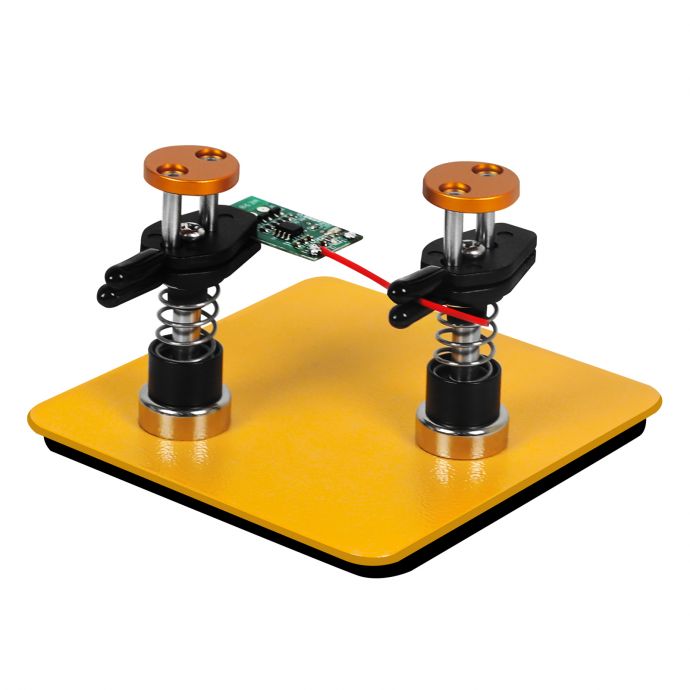
Traditional soldering setups require the delicate coordination of multiple fragile items: the PCB board, fine wires, the iron, and potentially additional components. Standard setups typically involve “helping hands” with alligator clips on a weighted base. While serviceable for casual use, they often struggle with stability, flexibility, or reach.
The challenge compounds for content creators or educators who wish to film or stream their projects. Balancing the need to hold components steady with the need to capture a clear shot, perhaps while reading schematics or manipulating tools, pushes standard “helping hands” to their limits.
A workstation designed to serve as a hands-free soldering station, a camera mount, and an adaptable, modular workspace solves these problems in one elegant solution.
**Anatomy of the Triple-Task Workstation**
At its core, the triple-task workstation consists of a solid, vibration-dampened base. This is typically steel or cast iron for weight, lined with rubber to prevent slippage and dampen movement that would otherwise be visible on camera footage.
Extending from this base are several articulated arms — think flexible goosenecks or modular ball-joint rods — each terminating in a specialized attachment. On a basic unit, three arms might be outfitted as follows:
1. **Alligator Clip Grips:** These are the classic “helping hand” ends, but improved in both reach and articulation. Silicone covers protect components from scratches, while the joints allow 360-degree positioning.
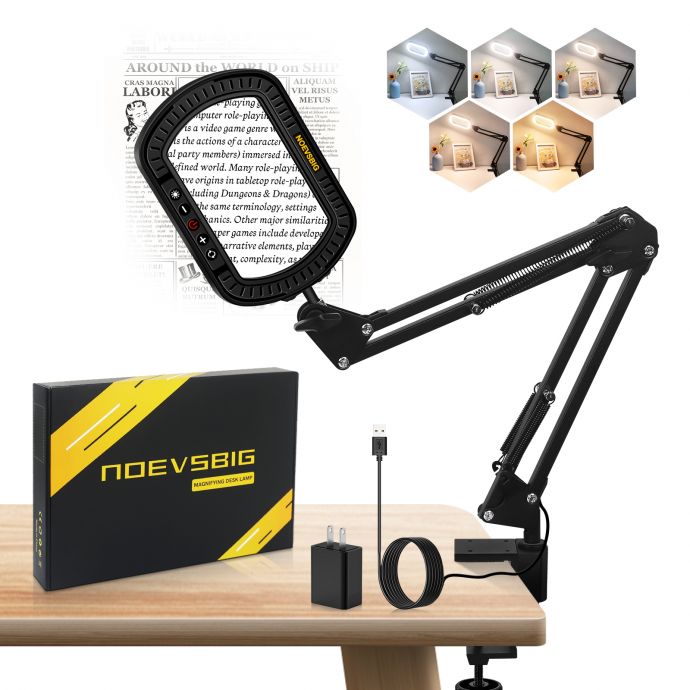
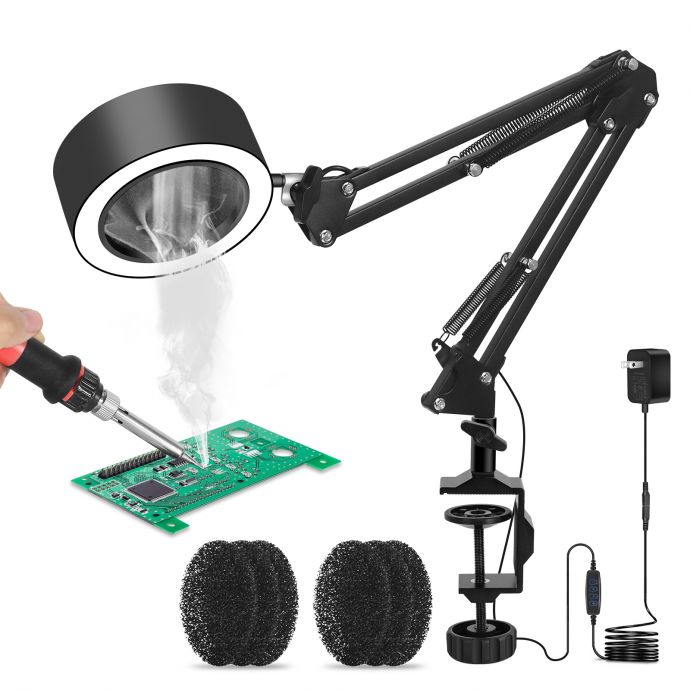
2. **Magnifying Glass or Inspection Lamp:** Soldering tiny components or checking connections can strain the eyes. An optically clear, illuminated magnifier — ideally with dimmable LEDs — can be swung into place, adjusted for angle, and then set out of the way without disturbing the rest of the setup.
3. **Camera Mount:** Here lies the innovation for creators. An arm equipped with a standard 1/4-inch tripod screw fits webcams, small mirrorless cameras, DSLRs, or phone holders. A quick-release plate supports fast changes between devices, and anti-vibration pads isolate camera shake from the rig during soldering.
With creative upgrades, you might add a fourth or fifth arm for a soldering iron holder, a fume extractor tube, or a third helping hand.
**Key Features & Practical Benefits**
1. **Enhanced Stability:**
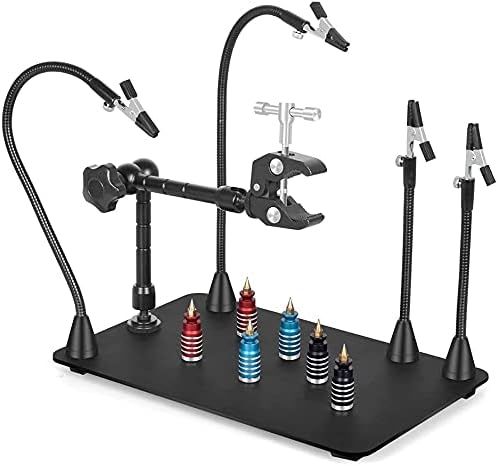
Cheap “helping hands” notoriously tip and wobble, ruining both work and footage. A weighted base and balanced design permit forceful soldering and component manipulation without displacing the unit.
2. **Total Adjustability:**
Each arm can be independently positioned, accommodating projects of various shapes and sizes. Joints offer both fine-tuned movements and quick, gross adjustments. This flexibility makes the rig suitable for everything from macro photography to holding a heavy PCB.
3. **Workflow Efficiency:**
Changing between tasks — soldering, inspecting, filming — is seamless. The arms stay set at preferred angles; you simply rotate or swap the attachments as needed. Creators can go from assembly to tutorial production without reconfiguring a complicated studio setup.
4. **Professional-Quality Content Creation:**
For YouTubers, online teachers, or remote collaborators, clear and stable imaging is critical. The camera mount isolates fine motions, cuts down on vibrations, and allows one to frame shots perfectly — be it top-down, side-on, or even macro close-ups.
5. **Less Fatigue, More Precision:**
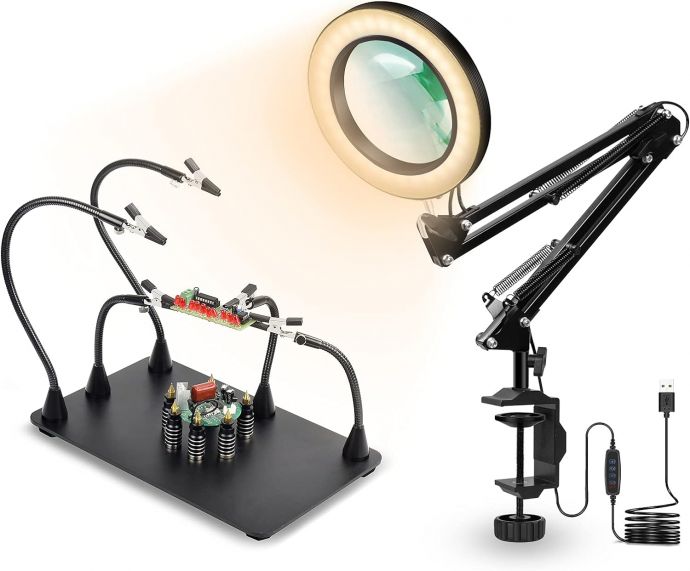
Holding components in awkward positions is tiring and leads to mistakes. The rig effortlessly suspends items in place, improving accuracy, especially for delicate soldering or multistep assemblies.
**Designing Your Own Workstation**
For tinkerers wanting to build or customize their own triple-task setup, here’s a stepwise approach:
- **Start with a base:**
Scavenge a gym weight plate, an old cast iron pan, or purchase a pre-made steel plate. Cover the surface with rubber or cork for damping and grip.
- **Choose adjustable arms:**
Flexible metal conduit, gooseneck lamp segments, or modular link arms (like those used on camera rigs) make great building blocks. Ensure they’re strong enough to hold devices steadily.
- **Select attachment heads:**
Mix and match:
- Alligator clips (with silicone covers)
- LED ring lights or magnifiers
- Camera tripod mounts (1/4”-20 thread)
- Soldering iron cradle or heat-resistant stands
- Fume extractor flexible hose
- **Mount everything securely:**
Screw or clamp arms into the base, using threaded inserts or heavy-duty clamp mechanisms for easy adjustment and future swapping.
- **Test for ergonomics:**
Set up a real project. The most important thing is that each component is easily repositioned and locks solidly in place without drooping.
**Commercial Alternatives and Modular Options**
Several manufacturers now offer professional-level workstations that combine these features. Notable brands include PanaVise (with their multi-arm vises), PCBGRIP, and Helping Hands with camera mounts. Some integrate USB-powered magnifying lamps, while higher-end units feature magnetic bases for endlessly reconfigurable workspaces.
Modular systems are particularly appealing. Magnetic arms, for example, allow users to snap on various heads (clip, lamp, or camera) anywhere on a steel base plate. Quick-release connectors make it possible to swap camera gear or soldering tools mid-project.
**Applications Beyond Electronics**
The triple-task wonder isn’t limited to electronics or soldering. Here’s where else it shines:
- **Jewelry Making:**
Suspending delicate workpieces, positioning magnifiers, and filming intricate assembly or repair.
- **Model Kit Building:**
Holding parts for painting, gluing, or modification.
- **Microphotography:**
Documenting insects, plants, or mineral samples with a DSLR or phone, supported by overhead lighting and magnification.
- **Small Repairs:**
Assisting with watch repair, eyeglass assembly, or other precise, small-scale maintenance tasks, where both hands are essential and extra lighting is critical.
**Filming Tips for Makers and Educators**
If your triple-task station is to be used for content creation, bear in mind these filming best practices:
1. **Lighting is key:**
Position the magnifier-lamp arm so it doubles as a key light. Avoid harsh overheads; diffuse the lamp with tissue or a commercial diffuser.
2. **Stable Camera Placement:**
Use the arm for top-down shots or macro closeups. Ensure the arm is stabilized — adding counterweight if necessary — especially for heavier cameras.
3. **Cable Management:**
Route camera and lamp cables neatly along the arms, using zip ties, to prevent tangling or intrusion into the workspace.
4. **Audio Considerations:**
If soldering and filming simultaneously, consider an external microphone on a separate stand to minimize noise pick-up from the base.
5. **Frame the Shot:**
Use a camera mount with tilt/swivel adjustments for the perfect view. Consider pre-focusing and locking camera settings to avoid hunting during the live demonstration.
**Safety Enhancements**
For high powered soldering or working with fumes:
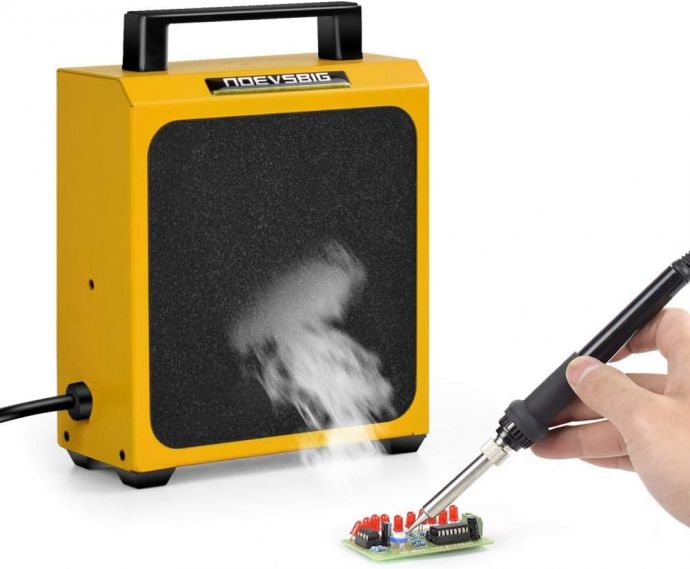
- **Fume Extraction:**
Snake a flexible fume extraction hose along one arm, terminating in a charcoal-filtered fan. This maintains clean air and prevents inhalation of rosin or lead particles.
- **Heat Resistance:**
Ensure that arms near the soldering iron cradle are clad in silicone or heatproof tubing, preventing accidental burns or deformation.
- **Grounding and ESD Protection:**
For sensitive electronics, affix an anti-static mat to the base, with wrist-strap terminals and grounding clips.
**Maintenance and Upgradability**
A well-thought-out workstation grows with its user. Opt for replaceable, upgradable arms and heads. As projects change, swap in a microscope arm, a heavier camera mount, or a higher powered lamp. Clean and lubricate moving parts occasionally to prevent sticking or squeaking.
**A New Standard for Makerspaces**
For shared spaces such as school labs or hackerspaces, the triple-task workstation is a game-changer. Rather than crowding benches with several single-function fixtures, one rig serves multiple purposes, freeing up room and streamlining group projects. Moreover, the ability for users to capture their work for later study, social media, or online instruction makes maker culture more inclusive and accessible.
**Conclusion: The Future of Multifunction Workshop Solutions**
The triple-task hands-free workstation represents the next evolution in workshop efficiency and creativity. By integrating soldering, camera mounting, and precision support into one compact system, makers, educators, and creators find themselves empowered to work smarter, safer, and with far more capacity for documentation and sharing.
Whether you’re soldering your very first LED circuit, assembling a complex robot, or filming an in-depth tutorial for YouTube, the right tools can turn frustration into flow, and a cluttered bench into a space for inspiration. In the triple-task wonder, technology meets practicality — and your imagination is the only limit to what you build next.