For electronics enthusiasts and hobbyist tinkerers alike, soldering is a vital process—one that transforms loose wires and components into robust, functioning gadgets or repairs. Yet, many overlook an invisible hazard present at every soldering station: the plume of fumes released when solder or flux meets a hot iron. While the act of melting these materials may seem harmless, the resulting airborne particles can quietly compromise your health and even precision in your craft. In this comprehensive guide, you’ll learn how to build a cost-effective 12V DIY smoke savior—a solder fume extractor that stands as your vigilant guardian, ensuring every breath is clean and every project remains a joy, not a risk.
## The Hidden Health Risks Behind the Soldering Iron
Before diving into the build, it’s important to understand what exactly you’re up against. When solder melts, especially one containing lead or rosin flux, it releases a cocktail of gases and fine particulate matter. Components can include formaldehyde, acrolein, volatile organic compounds (VOCs), and even fine metallic dust. Inhaling these substances, even in small doses over time, can lead to:
- Irritated eyes and throat
- Chronic respiratory issues
- Allergic or asthmatic reactions
- Headaches and dizziness
- Long-term exposure: Increased risk of serious health conditions
Traditional ventilation in a workshop might not be enough, especially when working in enclosed or poorly ventilated rooms. This is why a dedicated fume extractor, positioned right at the source, is vital for every workstation.
## Why Build Your Own Fume Extractor?
Commercial solder fume extractors are available, but they can be pricey or lack features such as customizability and portability. By building your own 12V device, tailored to your needs, you gain:
- **Affordability**: Significantly cheaper than commercial models
- **Customization**: Adjust airflow, filter types, and form factor
- **Portability**: 12V power allows operation from a wall plug, battery pack, or even USB power
- **Satisfying Project**: Directly enhance your health and workspace with your own skills
Let’s walk step-by-step through gathering materials, assembling the device, and optimizing its effectiveness.
---
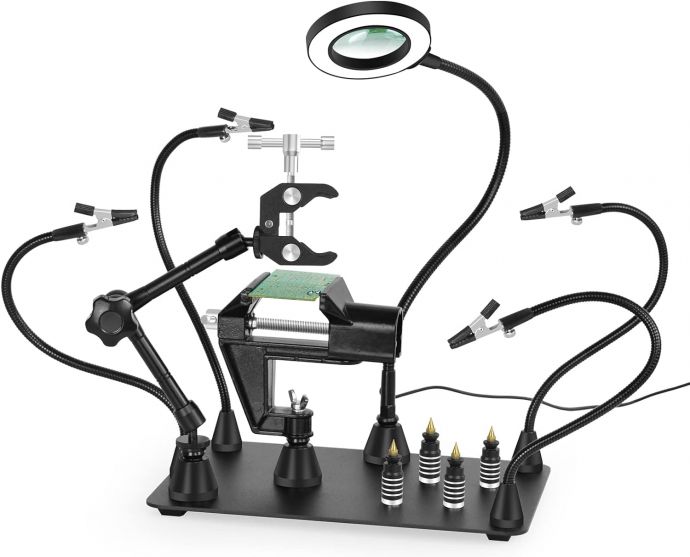
## Essential Components and Tools
### Materials:
1. **12V DC Fan** (120mm or 140mm recommended)
These larger PC case fans move ample air quietly and efficiently. Aim for one with a high CFM (cubric feet per minute) rating, above 60CFM if possible.
2. **Activated Carbon Filter Sheet/Pads**
The essential element that traps gases and particulates. Available in pre-cut sizes for air purifiers or in bulk sheets.
3. **Fan Guard or Grill**
For safety and to hold the filter in place.
4. **12V Power Supply Adapter**
Choose a regulated adapter (1A-2A) or a battery holder for portability.
5. **Switch (Optional)**
A simple toggle or rocker switch for convenience.
6. **Power Connector (DC barrel jack or JST, Optional)**
7. **Enclosure or Frame**
This could be a 3D-printed case, a plastic project box, or even a simple DIY frame with acrylic sheets or wood.
8. **Mounting hardware** (screws, zip ties, adhesives)
### Tools:
- Screwdriver
- Soldering iron (yes, you’ll want to use your new extractor!)
- Wire strippers
- Electrical tape or heat shrink tubing
- Drill (if mounting in a custom box)
---
## The Build: Step-by-Step Instructions
### 1. Plan Your Design
Sketch out the layout. The fan will draw fumes through the activated carbon filter, so the filter must sit in front of the airflow intake. Decide whether your device will sit upright, be clamped onto a desk, or be held with a flexible arm.
#### [Pro Tip:]
For desk-top models, angling the fan 45 degrees towards your work area maximizes fume capture.
### 2. Prepare the Housing
- If using a project box or custom enclosure, cut a hole large enough for the fan intake (usually 120-140mm diameter).
- Drill mounting holes for securing the fan and (optionally) the switch.
- Leave space for the filter to fit snugly against or in front of the fan.
### 3. Mount the Fan
- Secure the fan to the enclosure or frame using screws or zip ties.
- Ensure the arrow on the fan housing points away from the workspace—the air should be pulled through the filter and out the back.
### 4. Wire the Power Supply
- Connect the positive (usually red) and negative (black) wires from the fan to the matching wires on the power adapter lead.
- If including a switch, wire it inline with the positive lead.
- Use solder and heat-shrink tubing or electrical tape for safe, secure connections.
#### [Safety First:]
Double-check polarity; applying 12V in reverse may damage the fan.
### 5. Add the Filter and Guard
- Cut the activated carbon sheet to fit the intake side of the fan.
- Sandwich the filter between the fan and a grill/guard or frame, securing it so it cannot be sucked into the blades.
- Filters should be easy to replace for maintenance.
### 6. Final Assembly and Testing
- Double-check screw placements. Wires should be routed safely away from the fan blades.
- Plug in the device and toggle the switch. The fan should power up silently, drawing air through the filter.
- Test effectiveness: Place the extractor near your soldering space and visibly observe how the fumes are drawn into the filter.
---
## Enhancing and Customizing Your Extractor
### 1. Boosting Filtration
Consider stacking a HEPA layer in addition to the carbon filter for ultra-fine particulate removal. Some makers use dual fans for greater airflow, or even create multi-stage filtering systems.
### 2. Improve Portability
Add a rechargeable 12V battery pack or wire for USB-C operation. Smaller extractors can be designed for mobile workstations or on-site repairs.
### 3. Add Smart Features
Integrate a microcontroller (like Arduino) to control fan speed, monitor filter life, or even add air quality sensors that alert you to unsafe conditions.
### 4. Design Considerations
- Add rubber feet or a weighted base for desktop stability.
- Use noise-dampening materials to keep operation whisper-quiet.
- For long soldering sessions, ensure your device can run continuously without overheating.
---
## Positioning For Peak Performance
Your new extractor is only as effective as its placement. Always:
- Position the extractor’s intake 10–20cm from your work area, directly downstream of where the fumes rise.
- Angle the unit so air movement “pulls” the fumes away from your face.
- In larger areas, consider supplementing with cross-ventilation (open windows or exhaust fans).
---
## Maintenance: Your Key to Lasting Protection
Activated carbon filters lose efficacy as they saturate with particulates and VOCs. To ensure your extractor continues to safeguard your breathing space:
- **Replace Filters Regularly:** For heavy, daily use, change the carbon sheet monthly. For light, occasional use, every 3-4 months may suffice.
- **Clean Fan Blades:** Dust and build-up can hamper airflow; gently wipe with a clean, dry cloth during filter changes.
- **Inspect Wiring:** Examine connections for wear or heat damage, especially after prolonged operation.
Some users mark their calendar for filter changes or set reminders on their phone—a simple but crucial habit.
---
## Summing Up: A Clearer, Healthier Workspace
Building your own 12V solder fume extractor isn’t just a rewarding DIY project; it’s a proactive investment in your health and long-term enjoyment of your hobby or profession. Each time you plug in your iron, your personal smoke savior will be at your side: quietly, reliably drawing away toxic clouds and creating a workspace where your vision—and your breathing—remains clear.
With careful construction, thoughtful placement, and timely maintenance, you transform your soldering station into a truly safe haven for creativity and precision. And the next time wisps of smoke curl upwards, you can take a deep breath—confident in the invisible shield you’ve built with your own skill and determination.
Stay safe, solder smart, and always keep the air clear.